


Authentication
Require authorization for API clients
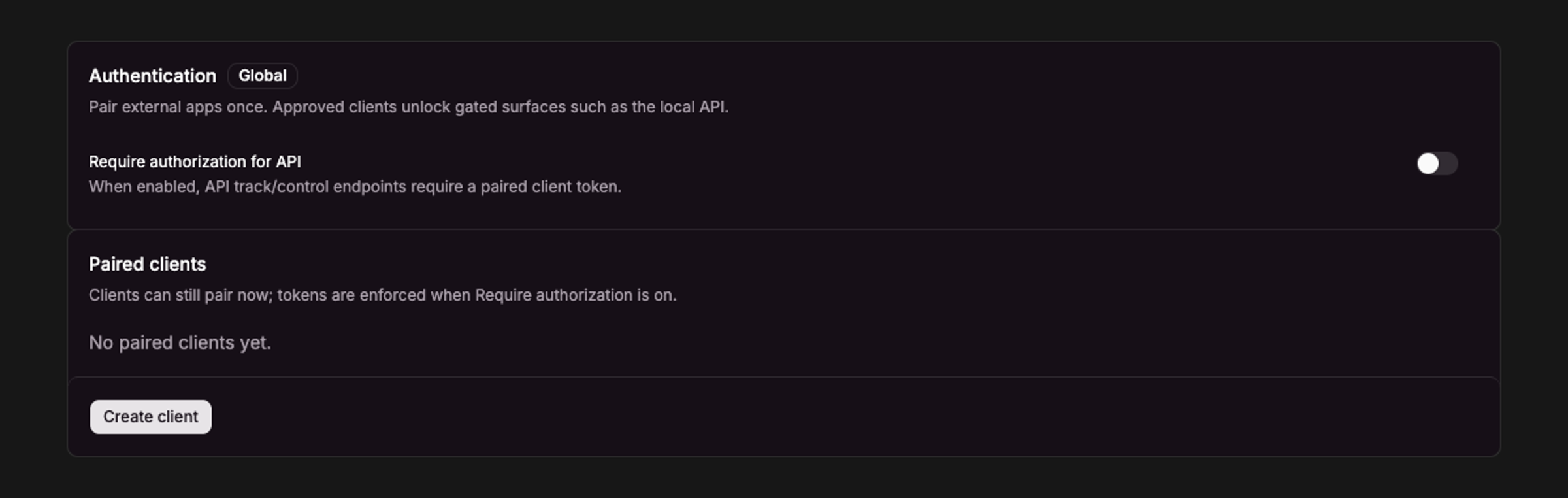
Current UI captured in an isolated session with no client credentials.
Settings → API & Integrations → Authentication.
Require authorization
Turn on Require authorization when clients (scripts and other clients) must pair before using gated API routes.
Pairing flow
- Client requests a code with an
appId/ app name. - A pending request appears under Authentication.
- Approve or Deny in the app.
- Approved clients receive a token for later requests.
Manual clients
Create a manual client from Authentication when an app cannot complete the pairing UI (paste the token into scripts or other clients).
Revoke
Revoke a single client or all clients from Authentication when access should be removed.
How credentials are protected
Sweet Spot encrypts approved-client tokens and protects the encryption keys through your operating system. On macOS, Keychain may ask permission when you access these credentials. This is part of the app's credential protection; enter your Mac password only in the macOS system dialog.
Pairing storage opens only when needed. If secure storage is locked or unavailable, unlock it and try again. Sweet Spot preserves unreadable credential data instead of replacing it with an empty store. See Local data and privacy for keychain prompts and safe troubleshooting.