


Synced lyrics
Follow timed lyrics from multiple providers.
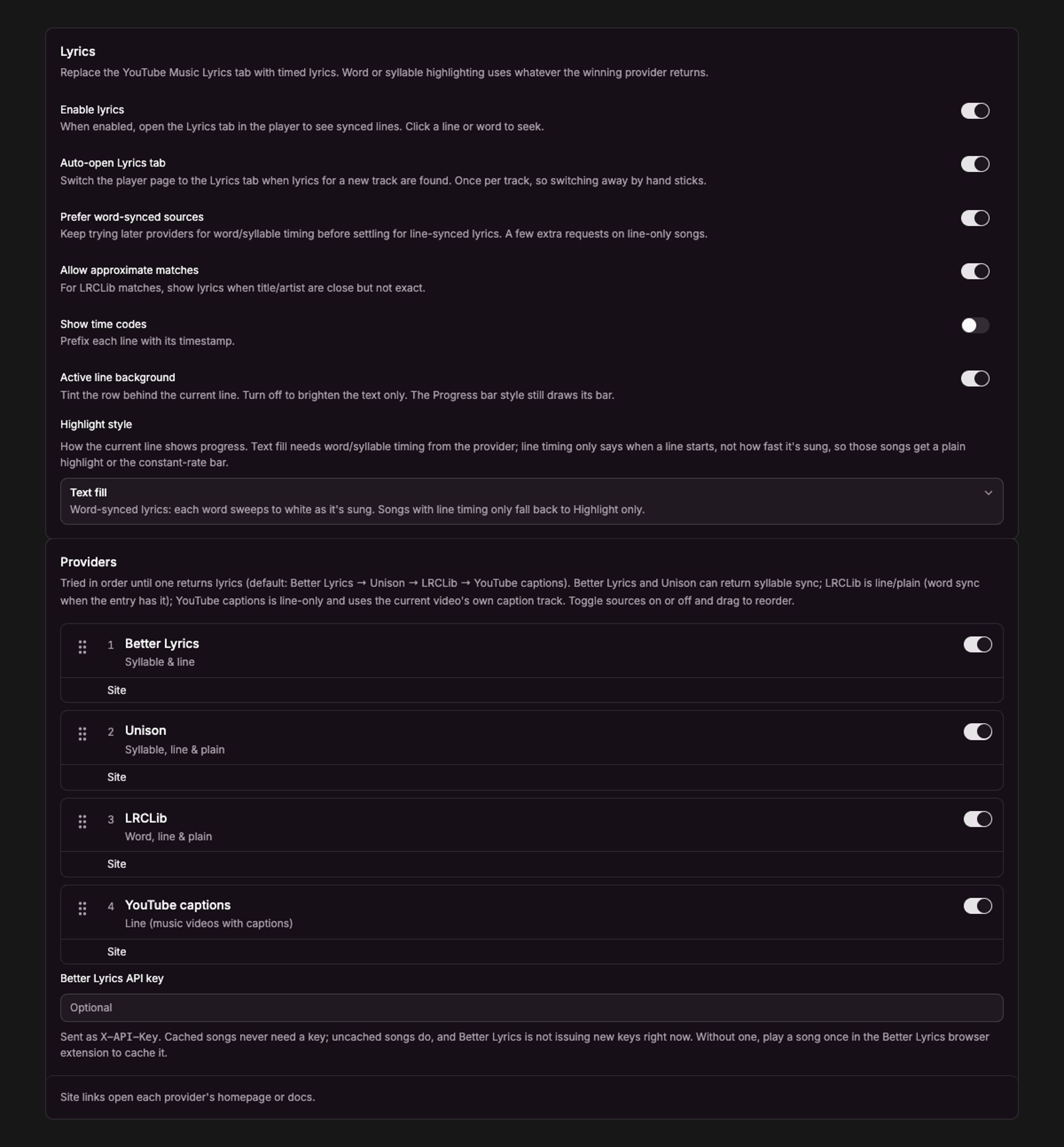
Current UI captured in an isolated session with sample data.
Enable Settings → Player → Lyrics → Enable lyrics, then play a track and open the YouTube Music Lyrics tab.
Choose providers
Providers are tried in your chosen order: Better Lyrics, Unison, LRCLib, and YouTube captions by default. Reorder or disable providers in the settings. Timing and availability vary by song and provider.
Prefer word-synced sources keeps looking for word or syllable timing before settling for line timing. Allow approximate matches permits close LRCLib matches. Human-made YouTube captions can supply line timing; automatic captions are skipped.
Make lyrics readable
- Auto-open Lyrics tab switches to lyrics when a new track’s lyrics are ready.
- Show time codes adds timestamps.
- Active line background tints the current line.
- Highlight only lights up the active line or words.
- Text fill sweeps through timed words when word or syllable timing exists; line-only results use highlighting.
- Progress bar shows a constant-rate line indicator for line-timed lyrics.
Scrolling manually temporarily pauses automatic centering. Reduced-motion preferences remove smooth scrolling and transitions while retaining the timing highlights.
Optional API key
The Better Lyrics API key field is optional. Keep your own key private and never include it in screenshots or reports. Without a usable result from that provider, the app can try the other enabled sources.
If lyrics are missing, check provider availability, try another source, and confirm the track is supported. Ads, live content, podcasts, and very short clips are skipped. Disable the feature to restore YouTube Music’s own lyrics view.